Note
This technote is not yet published.
Information regarding the installation of MTP / MPO fiber optics for the third floor
1 INTRODUCTION
The following documentation provides a closer look at MTP / MPO fiber connections from the second floor to the third floor, while also providing an inside look at the materials used and the areas involved. The Rubin IT Team is in charge of installing the MTP / MPO fiber optic cable that originates from the computer room located on the second floor of the main building and extends to the staging area outside the cleanroom and room. clean on the third floor.
The IT requirements are the following:
- Install the 13 cables from the second floor to the third floor of the main building.
- Separate 12 of those cables for the DAQ connections and use one of those cables for the CCS
The cables used for this project were OM3/OM4 with 24 filaments MTP/MPO connectors with type A polarity. It is important to mention that both the OM3 and OM4 cables are fully compatible with each other. The specifications for this setup were provided by the National Accelerator Laboratory Group (SLAC). To know more about this please visit the following sources:
2 Technical Specifications for the materials used
2.1 Cable Jacket
Due to the geographical location of the telescope and weather conditions, it was decided to install The OFNP cables that have the highest fire rating, suited for vertical runs between floors in data centers.
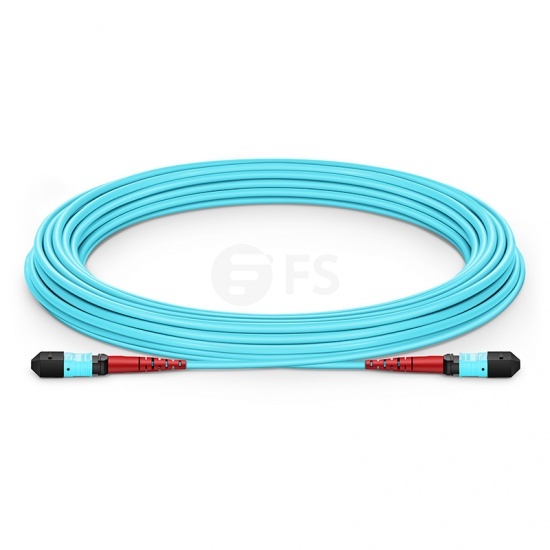
Image: Prototype of the Armored Cable
Additional Technical Specifications:

2.2 MTP / MPO connectors and adapters
MTP/MPO main characteristics and features
2.2.1 MTP/MPO Connector
Each cable contains 24 filaments with 1 MTP/MPO connector at each end.
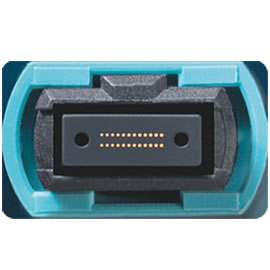
Figure 3 Image: MTP/MPO Connectors
2.2.2 MTP/MPO Adapters
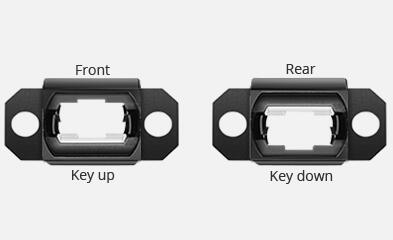
Each connection between cables has to use a key-up and key-down adapter in order to work and function properly.
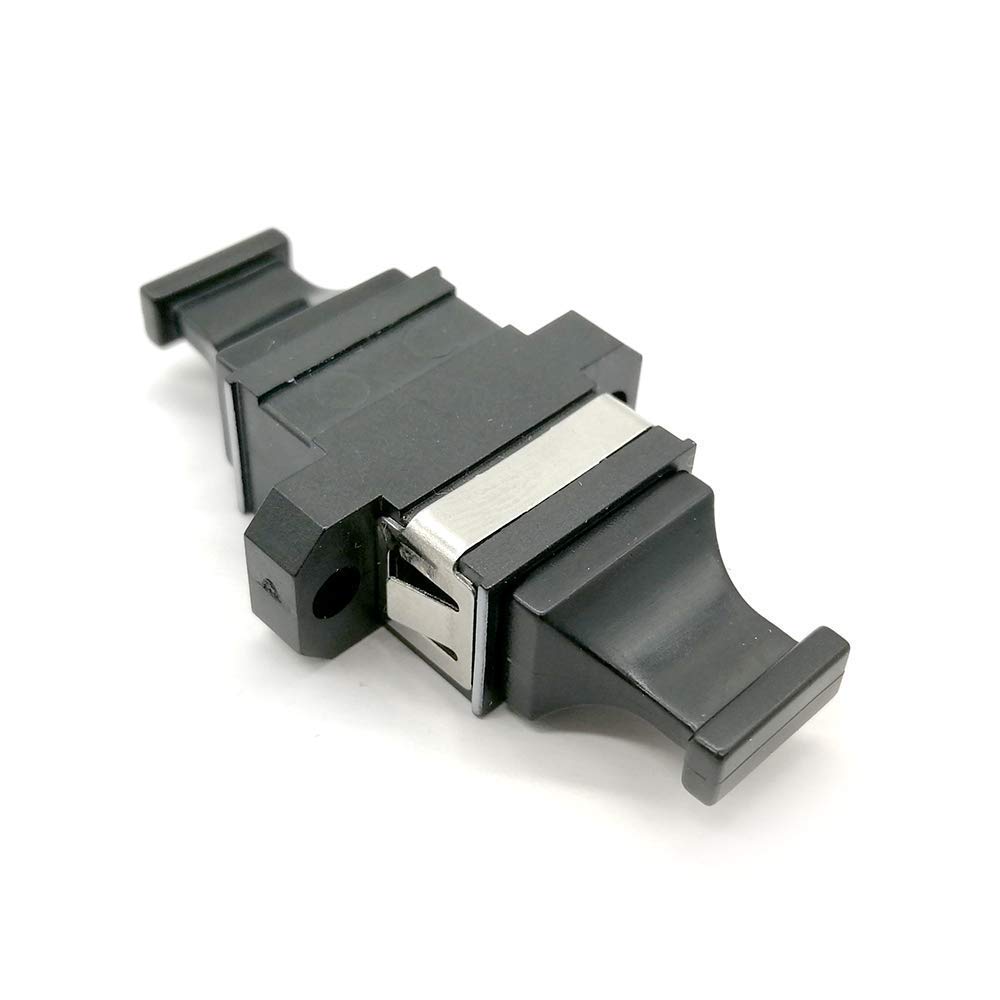
Image: Key-up and Key-down adapter.
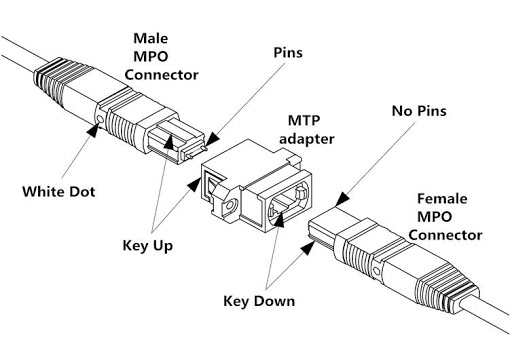
2.2.3 The MTP / MPO Female and Male Connectors
The MTP/MPO cables always connect to another MTP/MPO cable, each connector has a connection type which is either Female or Male.
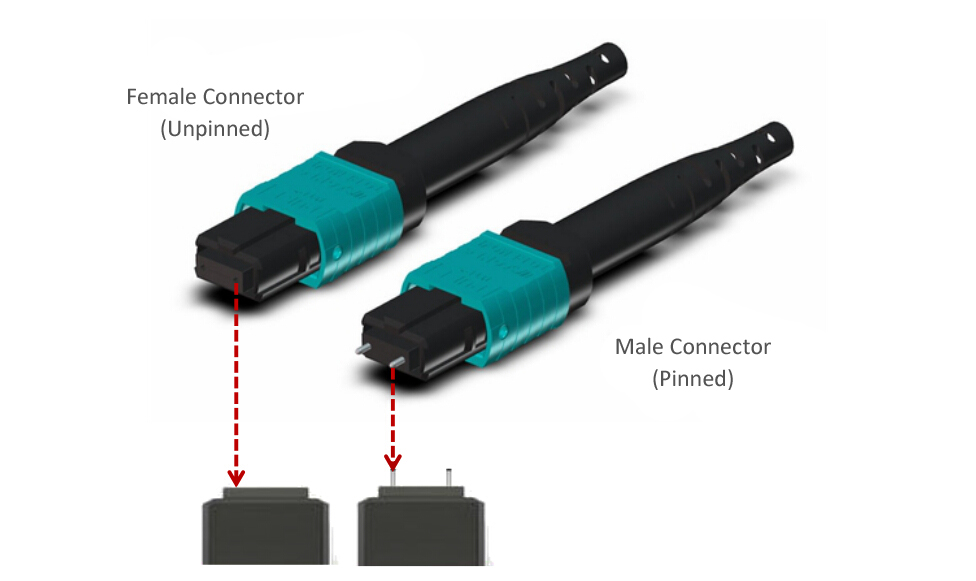
Image: MTP/MPO Connectors Female/Male
2.3 Cable Polarity
The cable can be purchased in 3 polarity modes, these are:
- Type A
- Type B
- Type C
For documentation purposes, we will turn our focus on Polarity Type-A cables.
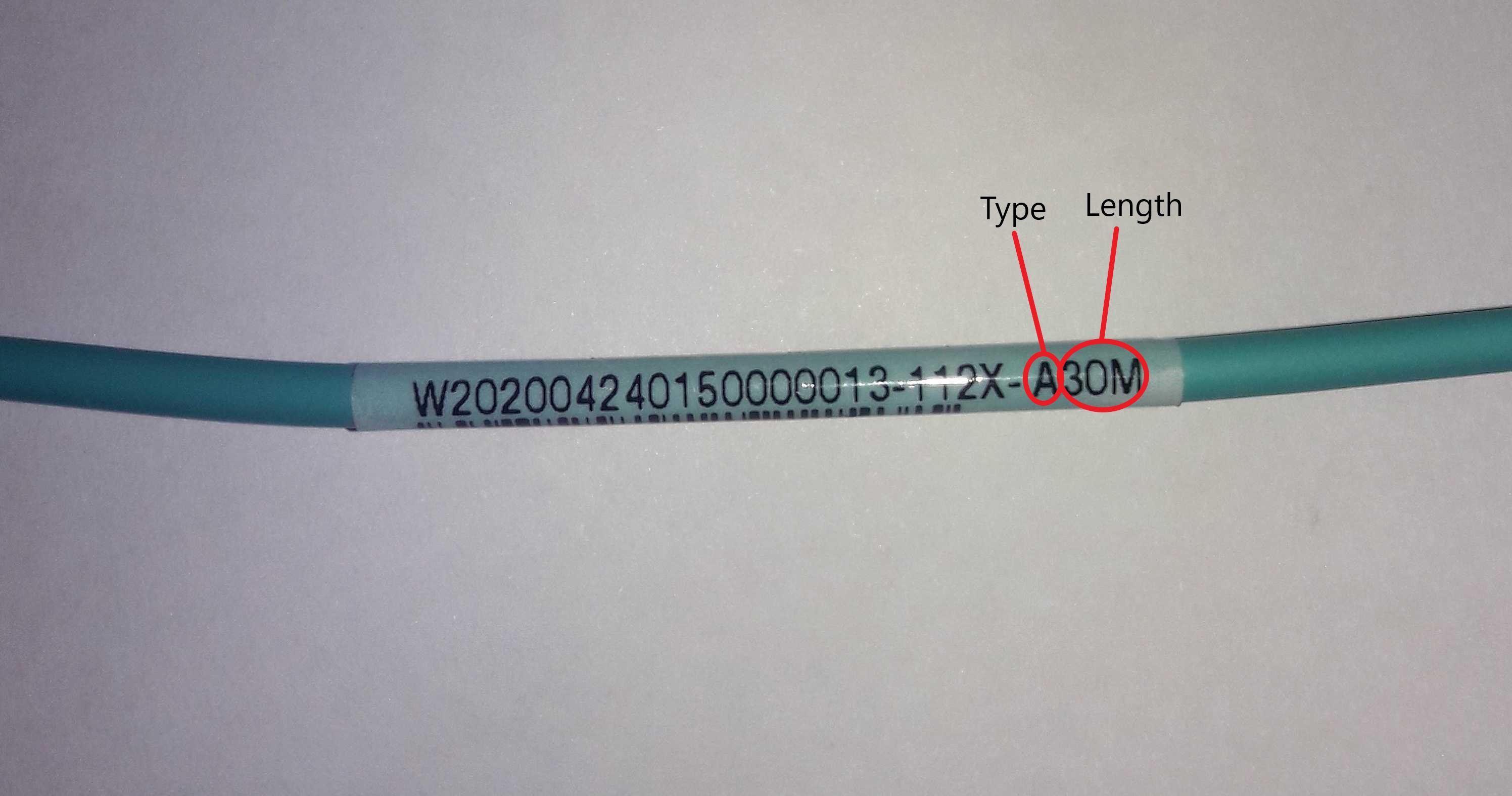
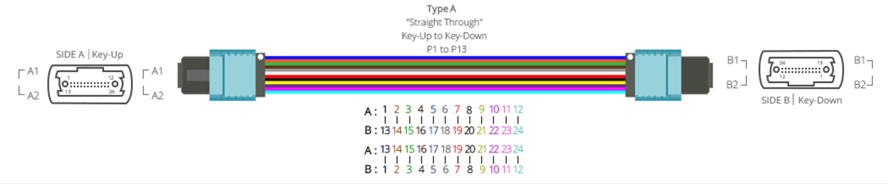
Image: Type A Straight Through Cable
2.4 Adapter Keys
When we refer to the adapter key, it is a notch in the coupler that gives the connection orientation of the connectors. The polarities that are compatible with these adapters are Type A and Type B.
- A Type A adapter or coupler polarity is (Key Up to Key Down)
- A Type B adapter or coupler polarity is (Key Up to Key Up)
In this report, we will only document the Type A coupler.
2.5 Cable Connection Method
To connect these cables we will need to use the corresponding adapter for the polarity of the cable used. The image below illustrates the connection method used for a male-to- female type A cable using a coupler with Flange (Key Up to Down).
3 MTP / MPO cable acquisition method
Our MTP/MPO cables are supplied by a factory that specializes in fiber optic materials and structured cabling. We have been working with this company throughout the construction period of the telescope at Rubin, providing us with network cables, fiber optic cables, specific tools, and any other material related to structured cabling. One of the advantages that we have working with this company is that we have direct contact with a representative allowing us to place special orders or requests for a specific type of material we would like to work with satisfying our needs.
3.1 Purchase Method
To purchase a specific cable we need to know the type of cable we would like to use, its polarity, and any other feature required. Once all of this information is gathered a company representative is contacted with our requirements and the order is received and processed. The company then proceed to manufacture the cable and Is shipped to Tucson and later to Chile which is received by the IT Team at the AURA Facility all in approximately 2 months.
4 Installation and maintenance time of the MTP / MPO cable.
To carry out the installation of the cables, we first need to request authorization within a week in advance to the managers and safety personnel in charge, this whole process is documented on a ticket in Jira. For each day of the work, IT has to fill out a daily activity registration form to document the activities that will be carried out for that particular day of work. This form is then delivered to Rubin Safety personnel who are in charge of authorizing the activity and supervising the work done for any safety hazard.
Each area of work has to be demarcated with cones along with an informative table showing the person’s name in charge of the work and the areas that will be closed throughout the work period. IT also has to notify Rubin personnel by radio on channel 3 that work will take place in the area authorized.
The installation of this type of cable can usually take up to 1 day with a workgroup composed of 2 members but maintenance can take up to 2 workdays with the same amount of people, this is because the IT Team has to specifically check and withdraw each cable, taking into account the following considerations.
- First, we have to locate the cable we are going to be doing maintenance on or replacing.
- Remove the cable from where it’s currently installed and located.
- Prepare and install the new cable in replacement for the one that was removed.
Note: The times provided above are all estimates taking into consideration that the cables are installed in the computer room in rack B7 and extend to the staging area of the third floor.
4.1 MTP cable routing analysis installed
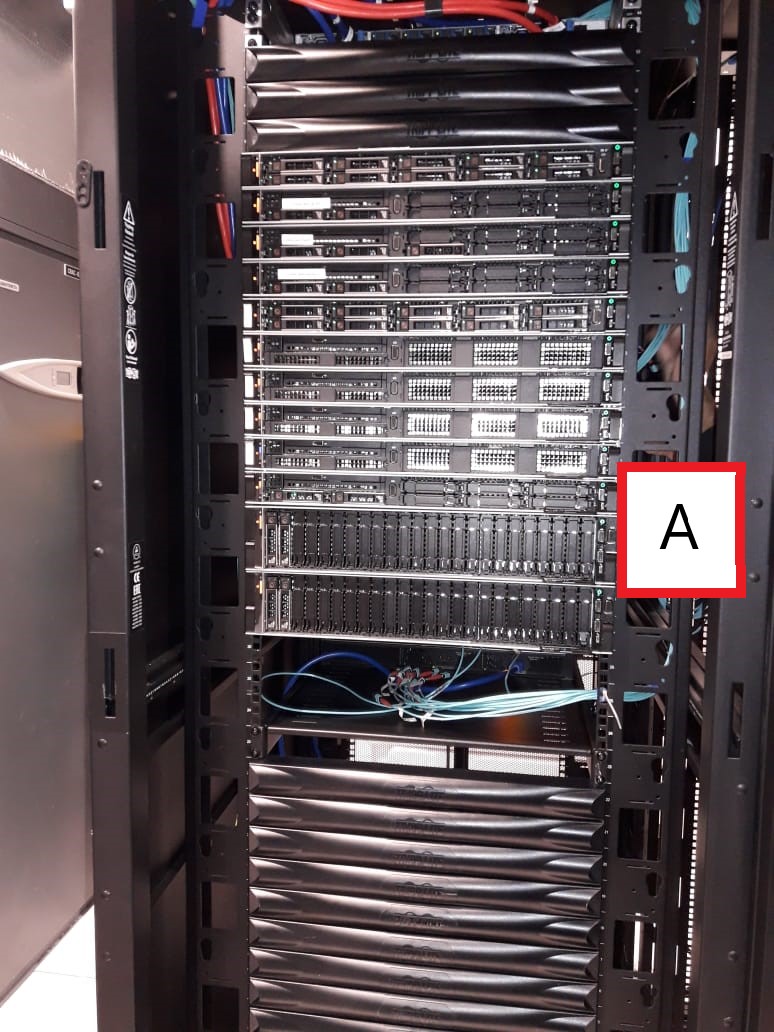
- The DAQ equipment is located in rack B7
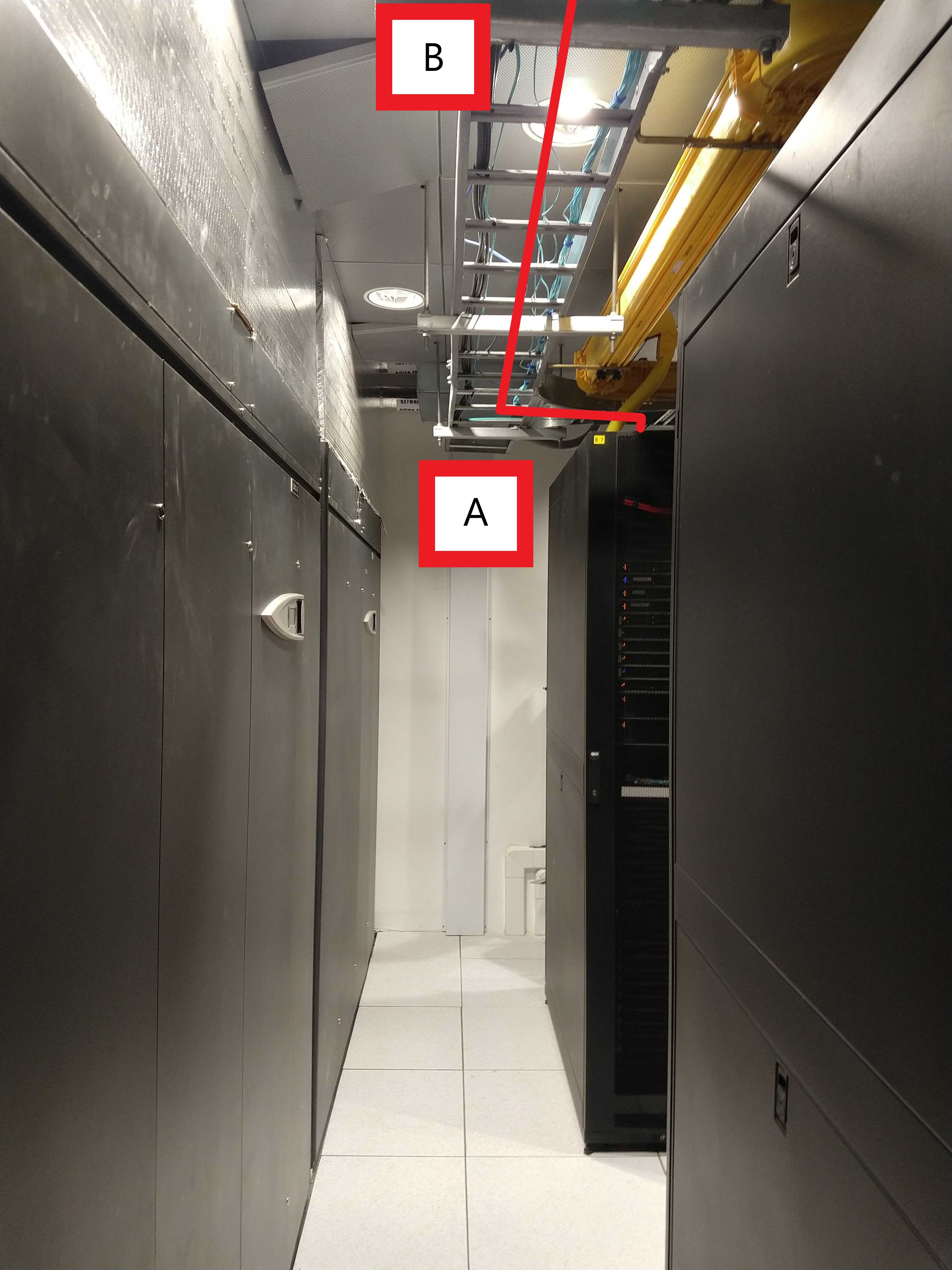
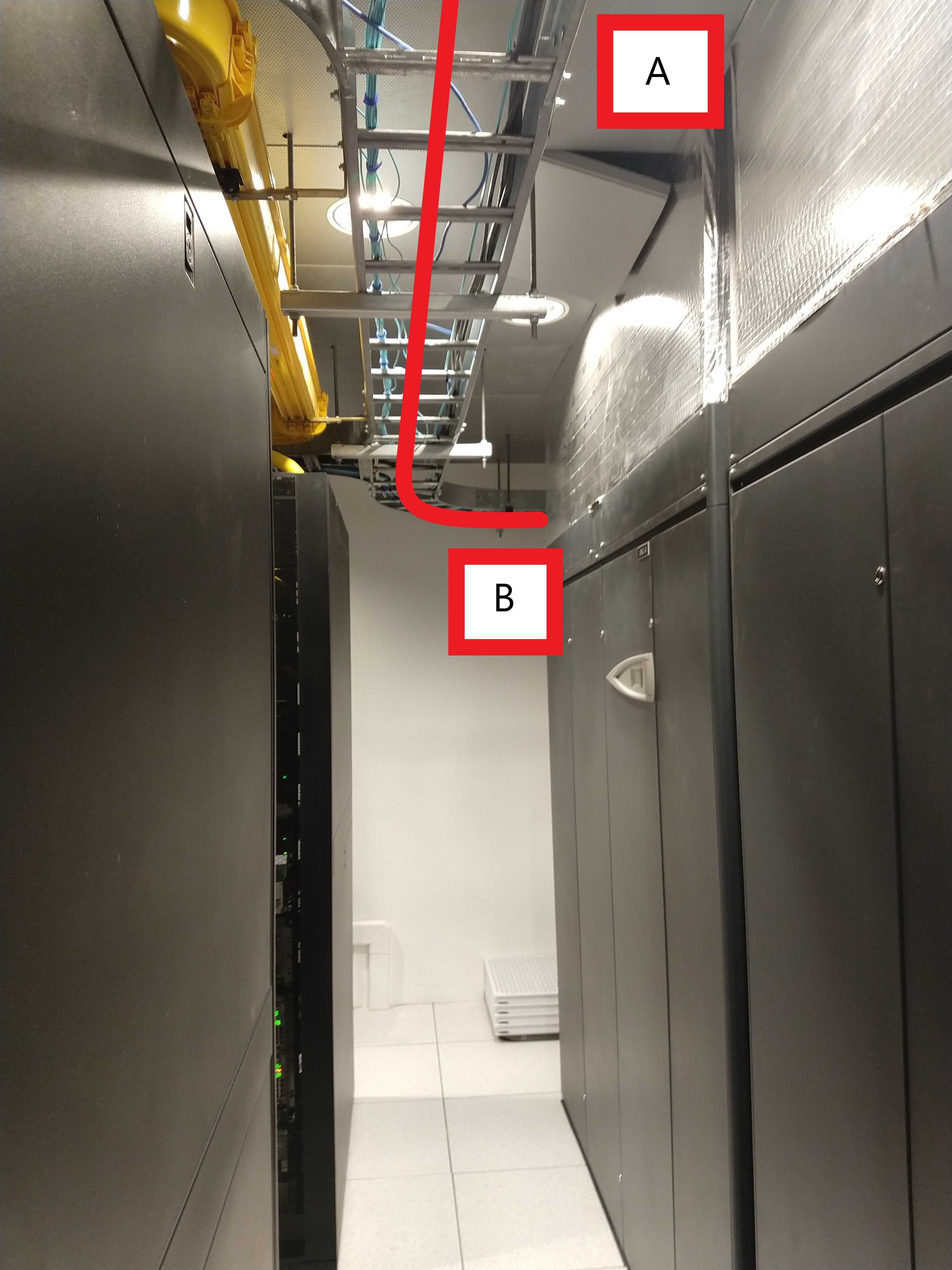
- The cable originates and exists out of the top of rack B7 at position A of the computer room. The cable then runs through the cable tray in the same room to position B of the computer room exiting at the end of the room.
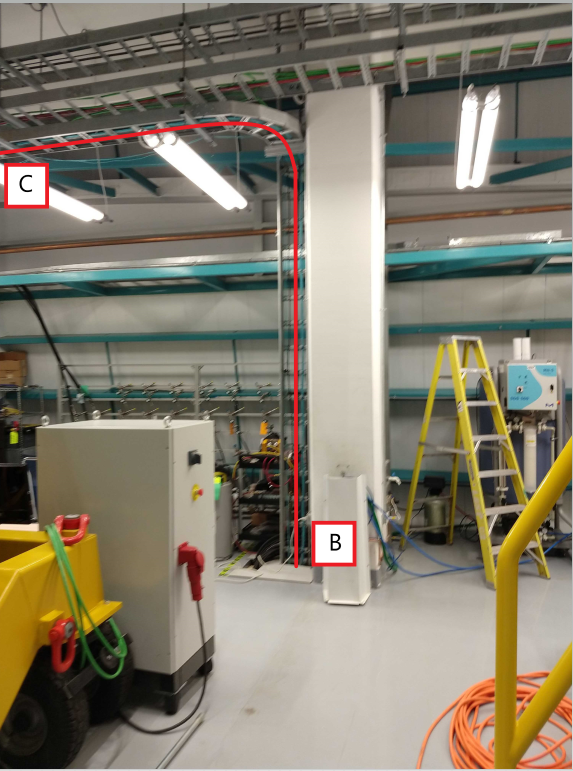
- The cable then appears on the cable tray of the third floor and runs along the pillar to point C extending to the outside of the cleanroom.
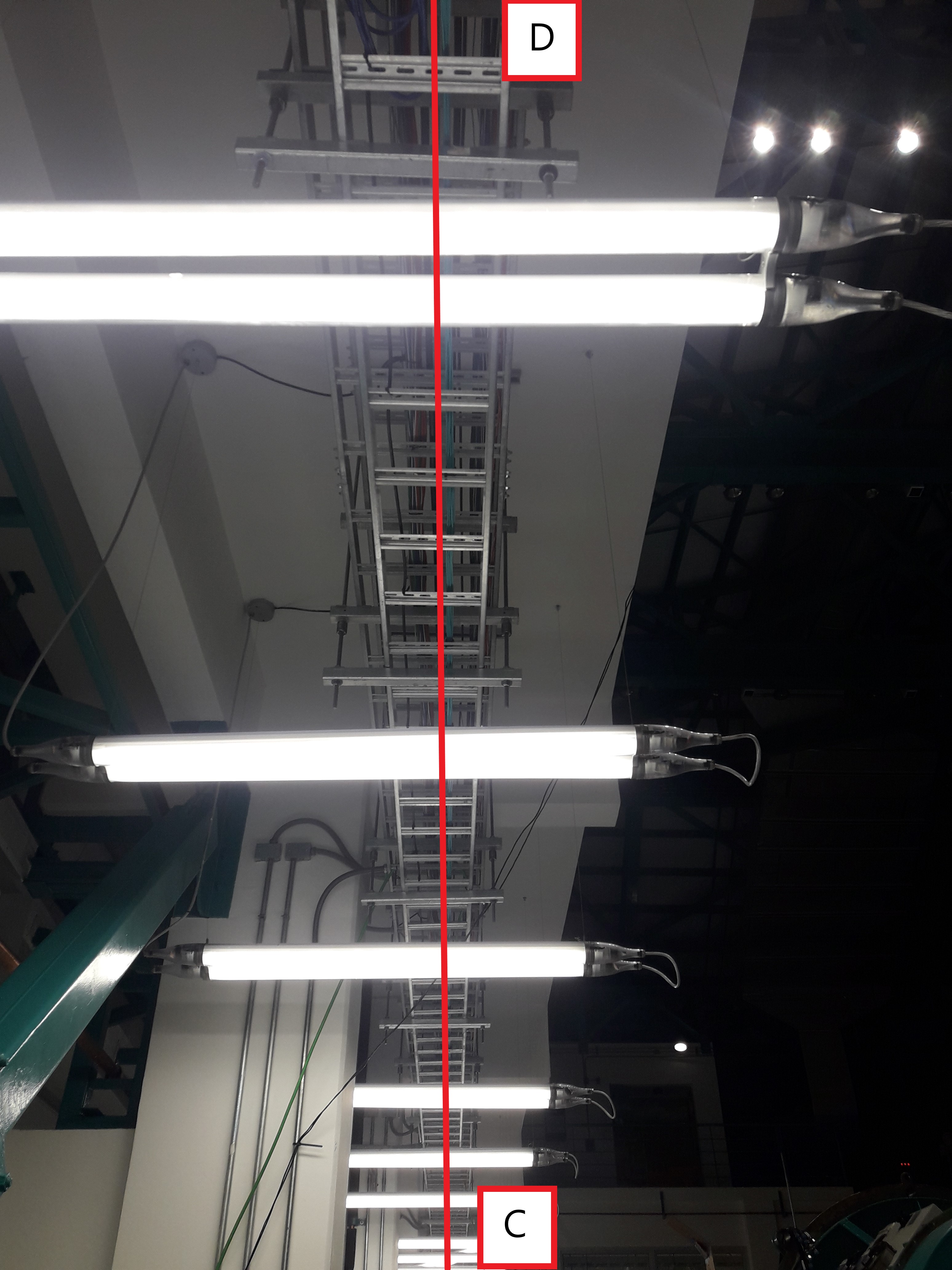
- The cable runs along with the cable tray on the third floor of the main building continuing to point D.
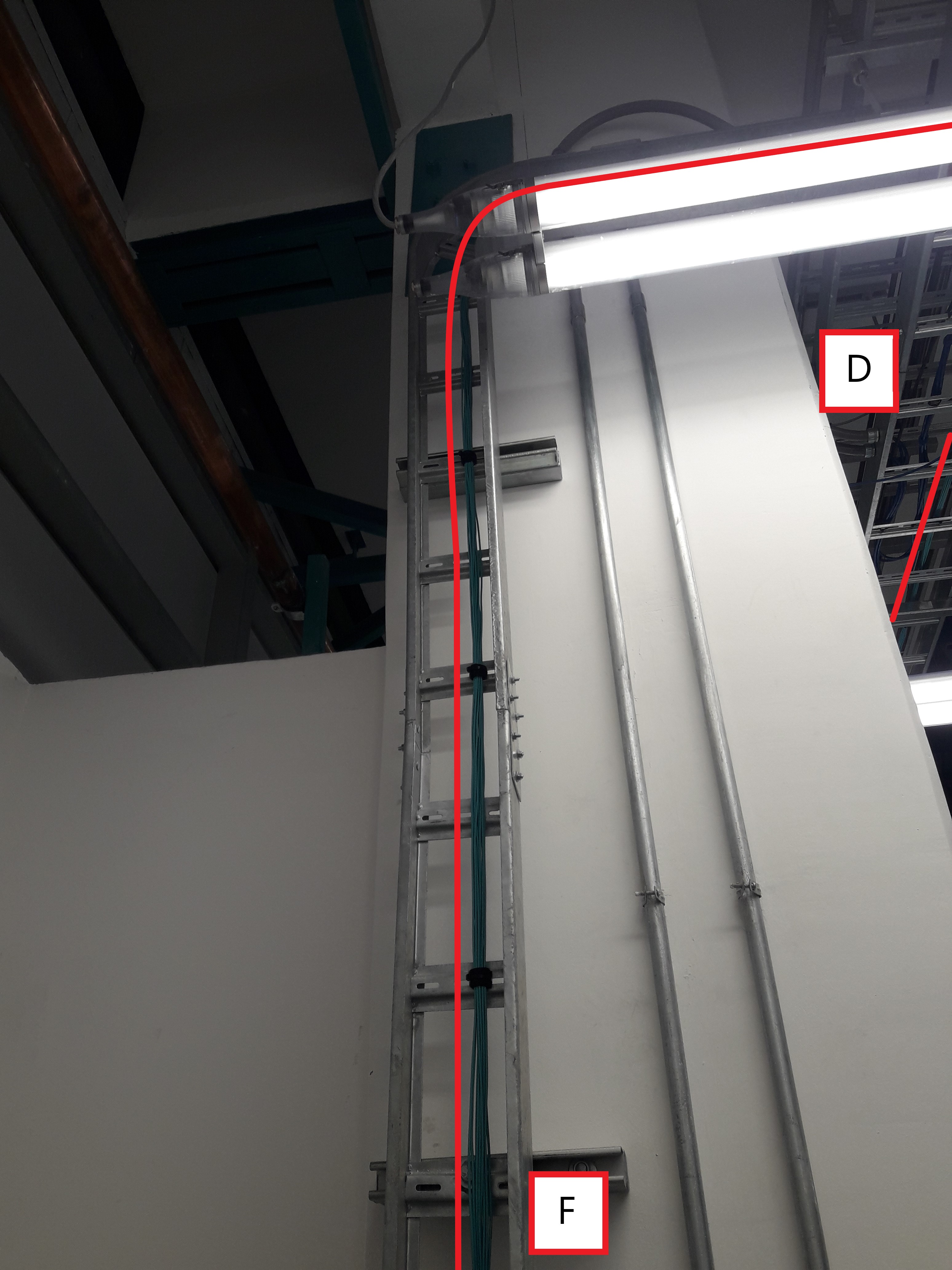
- Then the cable tray route D is connected to a cable tray specially manufactured to lower the fibers in the pillar in position F.
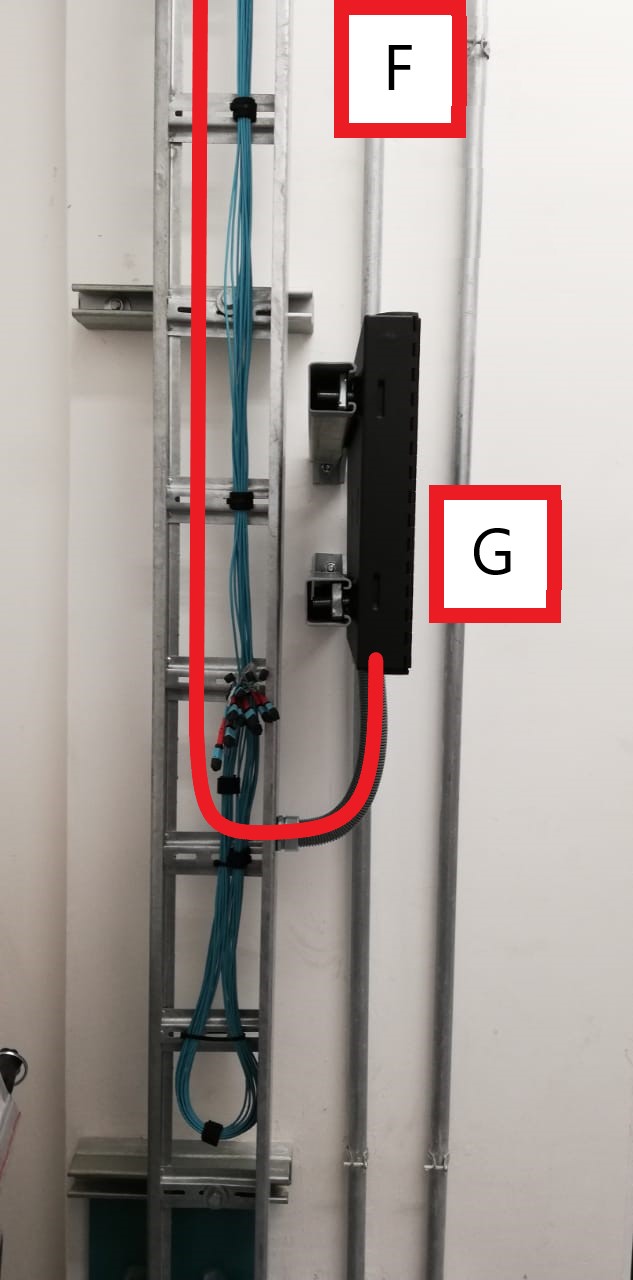
- Finally, the route from position F is connected by means of a flexible tube and reaches the cabinet that contains the MTP / MPO connectors inside.
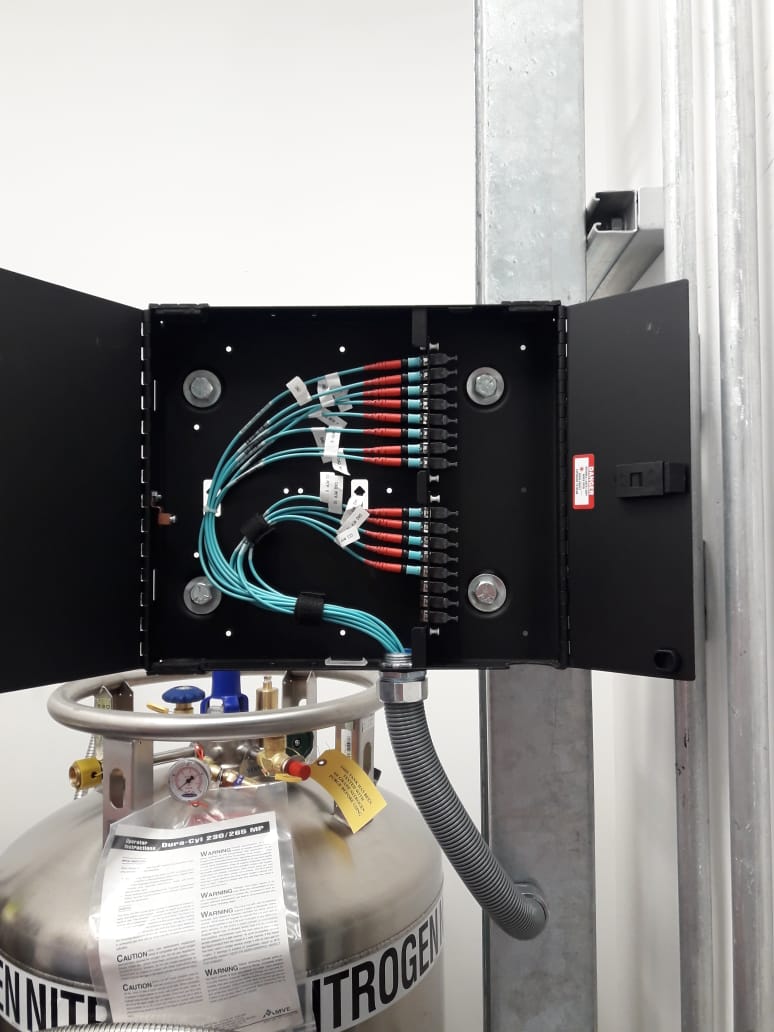
4.2 General view of the fiber optic cable connect locations.
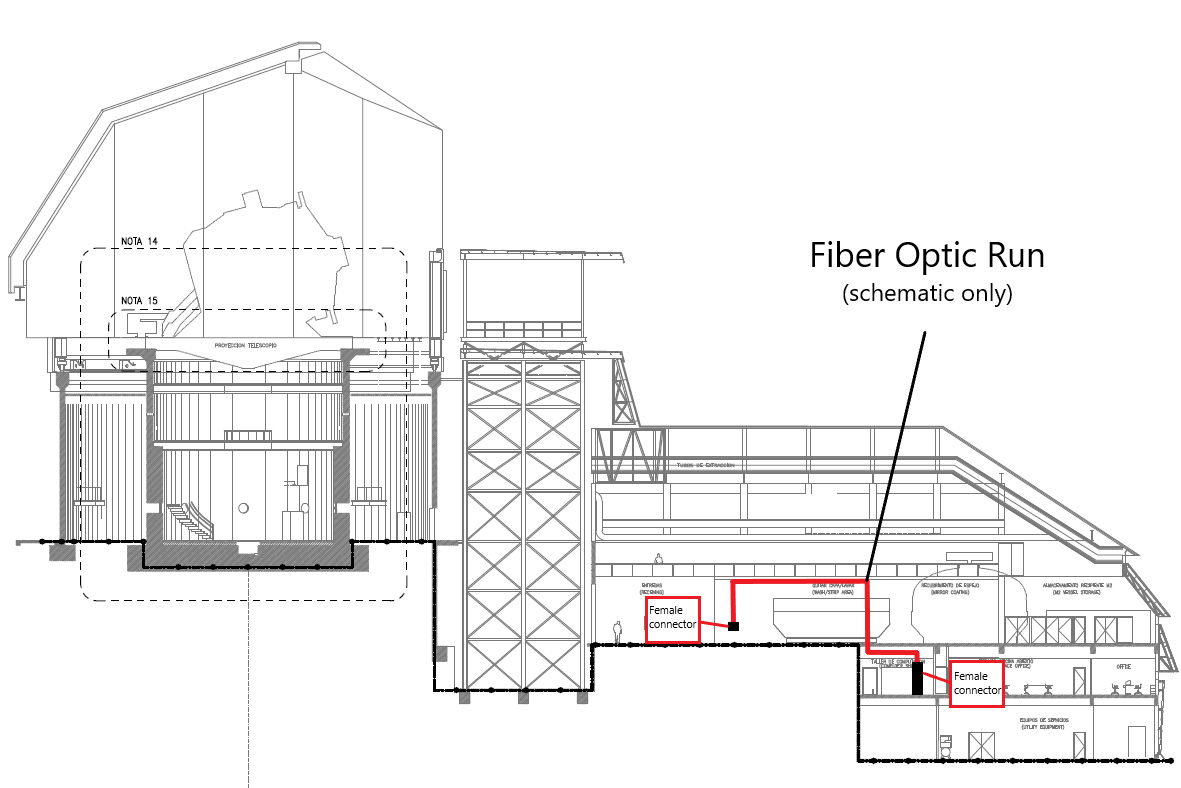
5 Deployment plan
The trunk cables for the DAQ / CCS connections are already installed in their final locations. These locations correspond to rack B7 located in the second-floor computer room to the MTP / MPO fiber optic cabinet on the outside pillar of the cleanroom in the third-floor staging area.
Trunk cable connector genders correspond as follows:
- Computer room: Female connector
- MTP / MPO enclosure: Female connector
5.1 Deployment conclusions and considerations
There were 2 different purchases of MTP / MPO cables connecting from the MTP / MPO cabinet to the comcam and to the camera. The cables in their entirety are still traveling to Chile.
The cables purchased to connect the section explained above are:
16x MTP / MPO male-female cables.
16x MTP / MPO male-male cables.
Considering all the corresponding permits to begin the installation works. We will proceed to take them to the summit and install them in the electronic equipment that needs it. This work must be coordinated with the staff of the SLAC group. We do not yet have requests to install these cables.
6 Acronyms
| Term | Meaning |
|---|---|
| CCS | Camera Control System |
| DAQ | Data Acquisition System |
| IT | Information Technology |
| MPO | Multi-fibra Push On |
| MTP | Multi-fiber Termination Push-on |
| OFNP | Optical fiber, nonconductive, plenum |
| OM3 | Optical Multi-mode the number is the CAT of the cable |
| OM4 | Optical Multi-mode the number is the CAT of the cable |